How Do You Read and Write BLE Characteristics?
Reading and writing characteristics is where a BLE scanner stops being a viewer and becomes a tool. A read pulls the current value of a data point. A write pushes bytes that can flip a setting or trigger an action. A subscribe streams updates as they happen. What you are allowed to do is set by the characteristic's property flags, not by you.
How do you read a characteristic value?
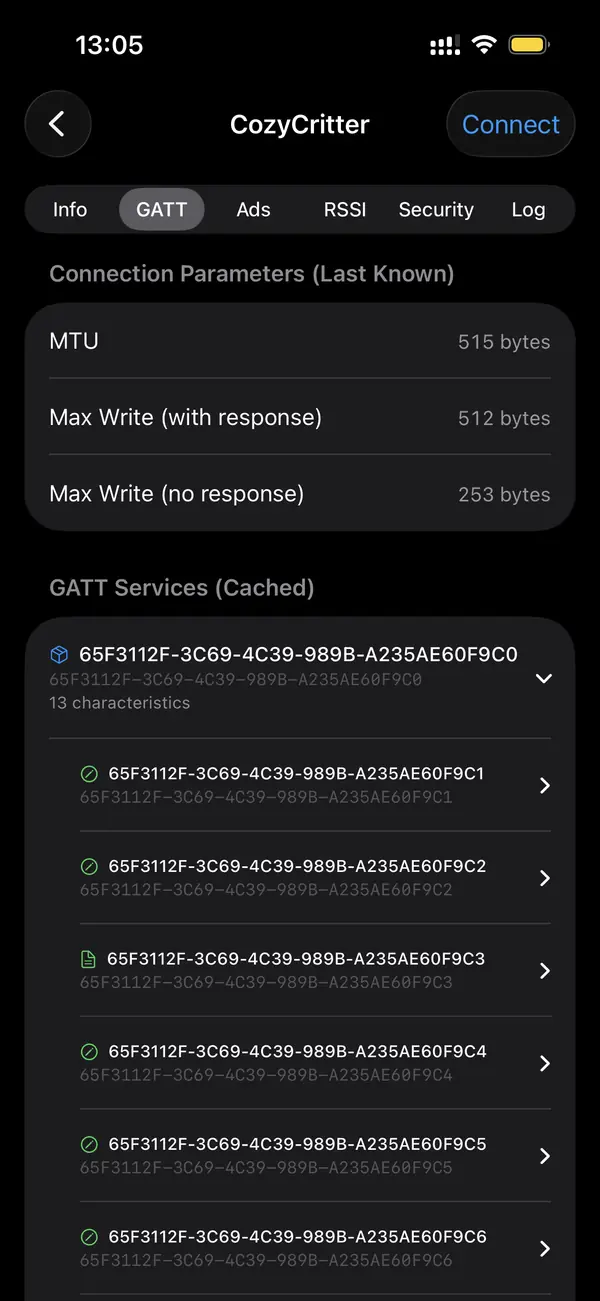
Connect to the device, let the app discover its GATT tree, and find a characteristic whose properties include Read. Tapping it sends a read request and the device returns the current bytes, which the app shows as hex and often as a decoded value. Battery Level returns one byte from 0 to 100; a string characteristic returns readable text.
Reads are on demand: each tap fetches the value at that instant. For data that changes constantly, repeated reads are wasteful, which is why notify exists. If a read returns an error, the characteristic probably lacks the Read property or requires a bonded, encrypted connection before it releases the value. Check the flags before assuming the device is broken.
How do you write to a characteristic?
Pick a characteristic that lists the Write or Write Without Response property, enter your bytes as hex, and send. Write expects an acknowledgment from the device; Write Without Response is faster but unconfirmed. The bytes you send must match the format the firmware expects, so consult the device documentation before writing anything to a control point.
Many devices expose a control-point characteristic where a specific byte sequence starts a measurement, sets a mode, or resets the device. Sending the wrong bytes can misconfigure firmware, so write only values you understand. Saving frequently used payloads as named templates means you can re-run a firmware command without retyping the hex each time.
How do you subscribe to live updates?
For a characteristic with the Notify or Indicate property, tap subscribe. The app writes to the Client Characteristic Configuration Descriptor, the CCCD at 0x2902, which tells the device to start pushing values. From then on updates stream in without polling, ideal for heart rate, sensor readings, or any value that changes faster than you want to read manually.
Notify is fast and unacknowledged; Indicate is slower but confirmed packet by packet. If you subscribe and nothing arrives, the CCCD write is the usual culprit, though a good scanner handles it automatically when you tap subscribe. Unsubscribing writes zero back to the CCCD and stops the stream, freeing the connection for other work.
How do you know which operations are allowed?
Each characteristic publishes property flags: Read, Write, Write Without Response, Notify, and Indicate. The scanner shows these next to the characteristic, so you know before trying. A read-only characteristic rejects writes; a write-only control point rejects reads. Matching your operation to the available flags avoids the most common GATT errors people hit.
The flags are part of the characteristic declaration in the GATT database, set by the device firmware. They are not advisory; the device enforces them. A characteristic can combine flags, like Read plus Notify for a value you can both poll and subscribe to. Reading the flag set first turns trial and error into a deliberate operation.
Key takeaways
- Read fetches the current bytes from a characteristic that has the Read property.
- Write sends hex bytes; Write Without Response is faster but unconfirmed.
- Subscribe enables Notify or Indicate by writing the CCCD descriptor (0x2902).
- Property flags decide which operations a characteristic allows, and the device enforces them.
- Save common write payloads as templates to re-run firmware commands without retyping.
Frequently asked questions
- Why does my write succeed but nothing happens?
- A successful write confirms the device accepted the bytes, not that they meant anything. If the payload does not match the format the firmware expects, the device may store or ignore it without acting. Check the device documentation for the exact byte layout of the control point you are writing to, then resend.
- What is the difference between Write and Write Without Response?
- Write waits for the device to acknowledge each packet, so you know it arrived, at the cost of speed. Write Without Response sends and moves on, which is faster for high-throughput streams but gives no delivery confirmation. Use Write for commands that matter and Write Without Response for bulk or real-time data.
- Why can't I subscribe to a characteristic?
- Subscription requires the Notify or Indicate property. If neither flag is present, the characteristic does not push updates and you must poll it with reads instead. If the flag exists but no data arrives, the CCCD descriptor was not enabled, which a scanner normally handles automatically when you tap subscribe.
- Do I need to pair before reading or writing?
- Not always. Many characteristics are accessible on an unencrypted connection. Some require pairing and bonding before the device releases or accepts a value, especially for sensitive settings. If a read or write returns an authentication error, the device is demanding an encrypted, bonded link before it will allow the operation.
Bluetooth & IoT Tooling, BigBalli. We build iOS tools for inspecting Bluetooth Low Energy and write guides cross-checked against the Bluetooth SIG specifications and Apple's Core Bluetooth documentation.
BLE Scanner is an engineering and diagnostic tool. Write only to devices you own or are authorized to test, and only values you understand from the manufacturer's documentation. Incorrect writes can misconfigure firmware.