How Do You Export iPhone Contacts to a VCF File?
VCF is the closest thing to a universal contact file. Apple, Google, Outlook and most phones read it, and unlike CSV it preserves photos and multiple values per field. That makes it the right format for backups and for moving to a new device. The trick is exporting the whole book in one file without losing the photos.
What is a VCF file?
VCF stands for vCard File. It is a text format where each contact is a block starting with BEGIN:VCARD and ending with END:VCARD. Inside, fields hold the name, phone numbers, emails, addresses and an embedded photo. One .vcf can contain a single contact or your entire address book, which is why it travels so well between systems.
Because it is the agreed standard, a vCard imports almost anywhere. iCloud.com, Google Contacts and the iPhone Contacts app all accept it. That universality is the reason VCF, rather than a proprietary format, is the default for contact migration and long-term backups.
Can the iPhone export contacts to VCF on its own?
Partly. In the Contacts app you can tap a single contact, scroll down, and Share Contact as a vCard. You can also select a group and share it. What iOS does not offer is a one-tap export of the full address book with photos included. For everything at once, you need an app that builds the complete file.
iCloud.com on a computer can export contacts as a vCard, which covers a desktop backup. On the phone itself, though, the native options are limited to single cards or manual multi-select. That gap is exactly what a dedicated exporter fills, especially when you want photos and a clean single file.
How do you export all contacts to one VCF?
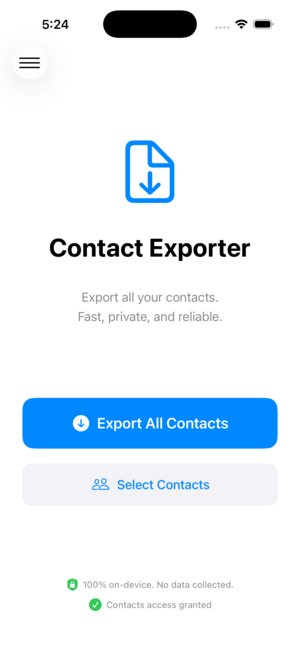
Open Contact Exporter, select all contacts, choose VCF as the format, and enable photos if you want them embedded. Tap Export and the app writes one .vcf containing every card. Share it to Files, email or AirDrop. The single file imports back into the iPhone, iCloud.com, Google Contacts or any other phone in one step.
Keeping the whole book in one file makes both backup and migration simple. There is nothing to stitch together later. Save it with a date in the name and you have a restore point that brings back names, numbers and faces exactly as they were.
How do you import a VCF back into a phone?
On an iPhone, open the .vcf from Files or an email and tap to add the cards to Contacts. On iCloud.com, use the import option in the Contacts web app. On Android, import the file through Google Contacts. In each case the vCard restores names, numbers, emails, addresses and any embedded photos in a single action.
If you are restoring a backup, import into a clean account or review for duplicates afterward, since importing on top of existing contacts can create pairs. Google Contacts and iOS both offer merge tools to tidy up if a few duplicates appear during the import.
Key takeaways
- VCF is the universal contact file and preserves photos and rich fields.
- iOS shares single cards or groups but not the full book with photos.
- Contact Exporter writes one complete .vcf for backup or migration.
- A vCard imports into iCloud, Google Contacts and any phone in one step.
- Review for duplicates when importing on top of existing contacts.
Frequently asked questions
- What is the difference between VCF and vCard?
- They are the same thing. VCF is the file extension, and vCard is the name of the format inside the file. When someone says they exported a vCard, the file on disk ends in .vcf. Both terms describe the standard format for storing one or many contacts with names, numbers, emails, addresses and photos.
- Does a VCF file keep contact photos?
- Yes, when photos are included on export. The vCard format embeds the image inside each contact block, so faces travel with names. CSV cannot do this because it is a flat table. If keeping photos matters for your backup or migration, export to VCF with the photo option enabled rather than to CSV or XLSX.
- How do I open a VCF file on a computer?
- Double-clicking a .vcf on a Mac opens it in the Contacts app, ready to add. On Windows it opens in the People app or imports into Outlook. You can also upload it to iCloud.com or Google Contacts in a browser. To read the raw fields, any plain text editor shows the underlying vCard structure.
- Can one VCF hold all my contacts?
- Yes. A single .vcf can contain your entire address book, with each contact as its own block in the file. That is what makes it ideal for backups and phone switches: one file, one import, every contact restored. Contact Exporter builds this complete file on-device so you do not have to merge many small vCards.
iOS Contact Data & Migration, BigBalli. We build tools that move address books between phones, spreadsheets and CRMs, and we cross-check our guides against Apple and IETF documentation.
Contact Exporter is an independent iOS utility and is not affiliated with Apple or Google. Steps reflect current iOS and iCloud behavior and may change with future updates.