What Is the Best Offline GPS App When You Have No Signal?
People assume no bars means no GPS. The two are unrelated. Your iPhone's GPS receiver listens to satellites directly and reports a position with cellular and Wi-Fi fully off. What disappears offline is the map imagery, because that streams from a server. Cache the tiles ahead of time and the whole workflow keeps running deep in the backcountry.
Does GPS work without a cell signal?
Yes. GPS is a one-way satellite system. Your phone receives timing signals from satellites overhead and computes its own position, with no need to send anything back or to reach a tower. Airplane mode does not disable the GPS chip on an iPhone. The fix may take longer to acquire cold, but it works far beyond any cellular coverage.
What cellular adds is assistance data that speeds the first fix and the map tiles you see on screen. Lose the signal and you lose the fast warm start and the live map download, not the positioning itself. A well-built offline app caches the assist data and the tiles so neither gap stops you in the field.
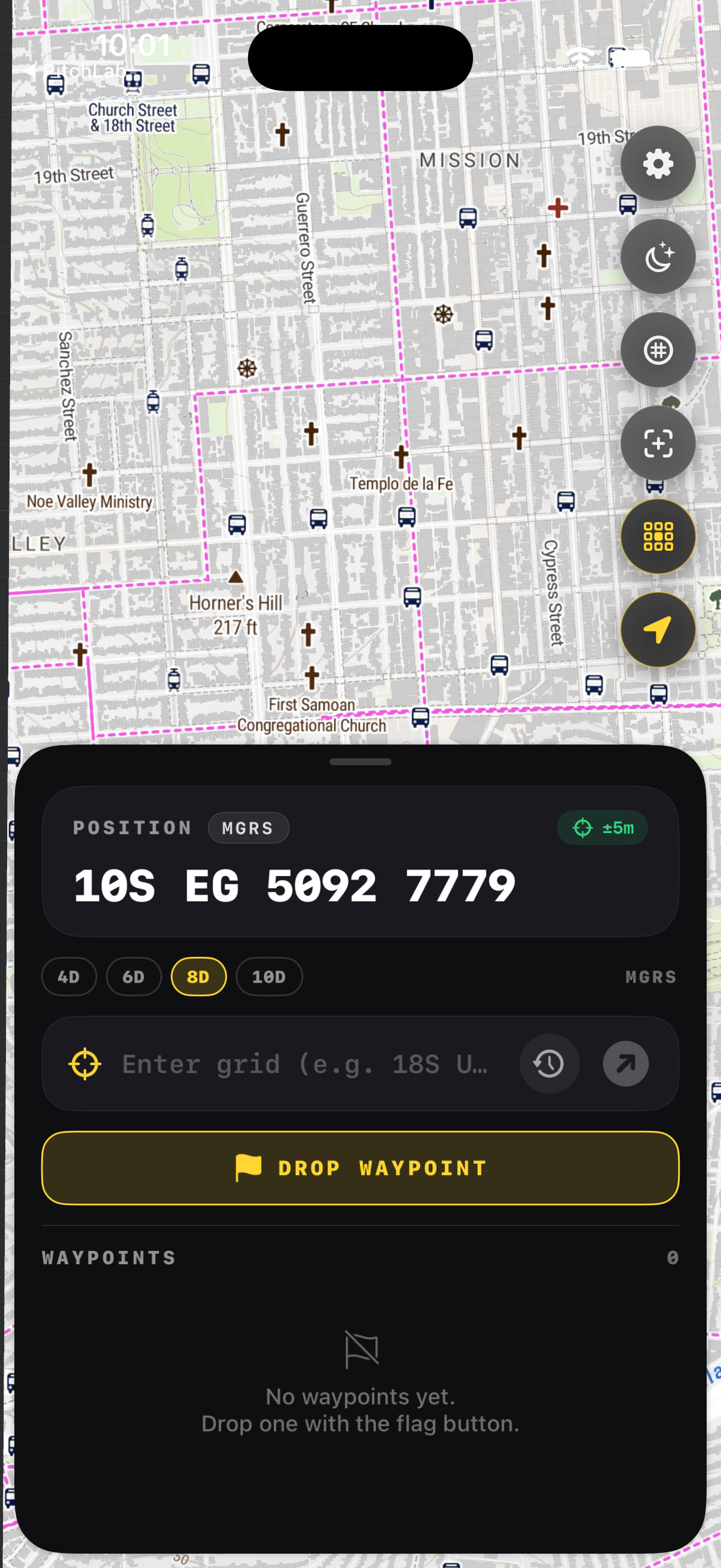
What makes an app truly offline?
Three things. First, downloadable map regions stored on the device, not streamed. Second, positioning that reads the GPS chip directly instead of relying on network location. Third, navigation features such as grids, bearings, and waypoints that run entirely on-device. If any of these reaches for the internet at the moment you need it, the app is not field-ready.
Many popular map apps cache tiles loosely and silently fail when you wander past the cached edge. A purpose-built tool lets you pick a box, choose a detail level, and confirm the download before you leave the trailhead. GridNav stores the region, the grid overlay, and your waypoints so the experience is identical with the radios off.
How do you prepare an iPhone for no signal?
Download your map region while you still have Wi-Fi, then test it in airplane mode at home. Top off your battery, carry a power bank, and bring a paper map and compass as backup. Mark known points as waypoints before you go. With the region cached and a fix confirmed offline, your phone becomes a reliable field instrument.
Battery is the real constraint outdoors, not signal. The GPS chip and screen draw power, so dim the display, use a red night palette, and keep the phone warm in cold weather where lithium cells fade. A quick airplane-mode rehearsal before the trip surfaces any gap in your cached coverage while you can still fix it.
What should you carry as backup?
Always pair a phone with a paper topographic map and a baseplate compass. Electronics fail, freeze, or run flat. A map and compass need no power and no satellites. Know how to plot a grid and shoot a bearing by hand so the app accelerates your navigation rather than becoming a single point of failure you cannot recover from.
The National Park Service and most SAR teams teach the same rule: the phone is a tool, not the whole kit. Carry spare power, keep the map dry in a sleeve, and practice the manual skills off-season. When the app and the paper agree, you move with confidence; when they disagree, you stop and resolve it before going on.
Key takeaways
- GPS works with no cell signal; your phone gets a fix from satellites directly.
- What you lose offline is the live map download, so cache tiles in advance.
- A true offline app stores regions, reads the GPS chip, and runs features on-device.
- Rehearse in airplane mode at home to find gaps in your cached coverage.
- Carry a paper map, compass, and spare battery as non-negotiable backup.
Frequently asked questions
- Will my iPhone GPS work in airplane mode?
- Yes. Airplane mode turns off the cellular and Wi-Fi radios but leaves the GPS receiver active on modern iPhones. You can navigate with a cached map in airplane mode all day. The first fix may take a bit longer without network assistance, so let the phone settle for a minute before you rely on the position.
- Why does the map disappear but my dot stays?
- The blue dot is your GPS position, computed on the device from satellites, so it persists offline. The map imagery streams from a server, so it vanishes once you pass the area you cached. Download your whole route region before leaving, and the map and the dot both stay put no matter how far you go from coverage.
- How much storage does an offline map use?
- It depends on area and detail. A modest hiking region at high detail might use a few hundred megabytes; a large area at fine zoom can reach a couple of gigabytes. GridNav lets you pick the box and the detail level, so you download only what your trip needs and keep the rest of your storage free.
- Is an app enough on its own?
- No. Treat the app as your fast primary tool and carry a paper map, compass, and spare power as backup. Phones break, freeze, and drain. Knowing how to plot a grid and walk a bearing by hand means an electronics failure slows you down instead of stranding you. Redundancy is the standard every SAR team follows.
Land Navigation & MGRS, BigBalli. We turn military grid standards into fast, one-handed iPhone workflows, cross-checked against sources including GPS.gov and the National Park Service.
GridNav provides navigation tools and educational information. Always carry a map and compass as backup, confirm critical grids with a second source, and follow the procedures of your unit, agency, or incident command.